For your gym
$0 extra
LessonLink Go works with every LessonLink plan. There is no mobile add-on to buy.

LessonLink Go is the mobile app for the people who don’t sit at a desk — your families and your coaches. Schedules, enrollment, private lessons, payments, and messages, in a native app for iPhone and Android.


Free to download with a 1-month free trial. Works with gyms on the LessonLink platform.
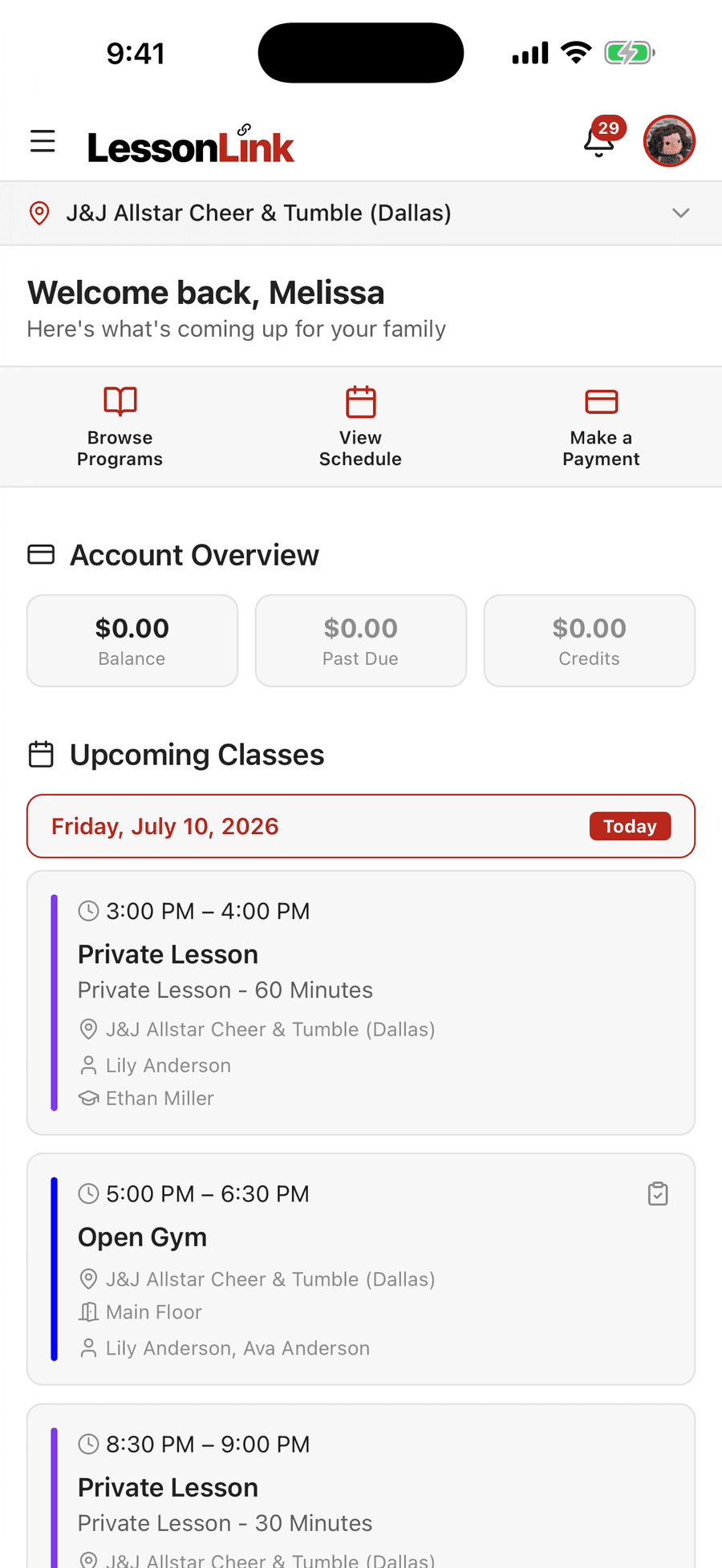
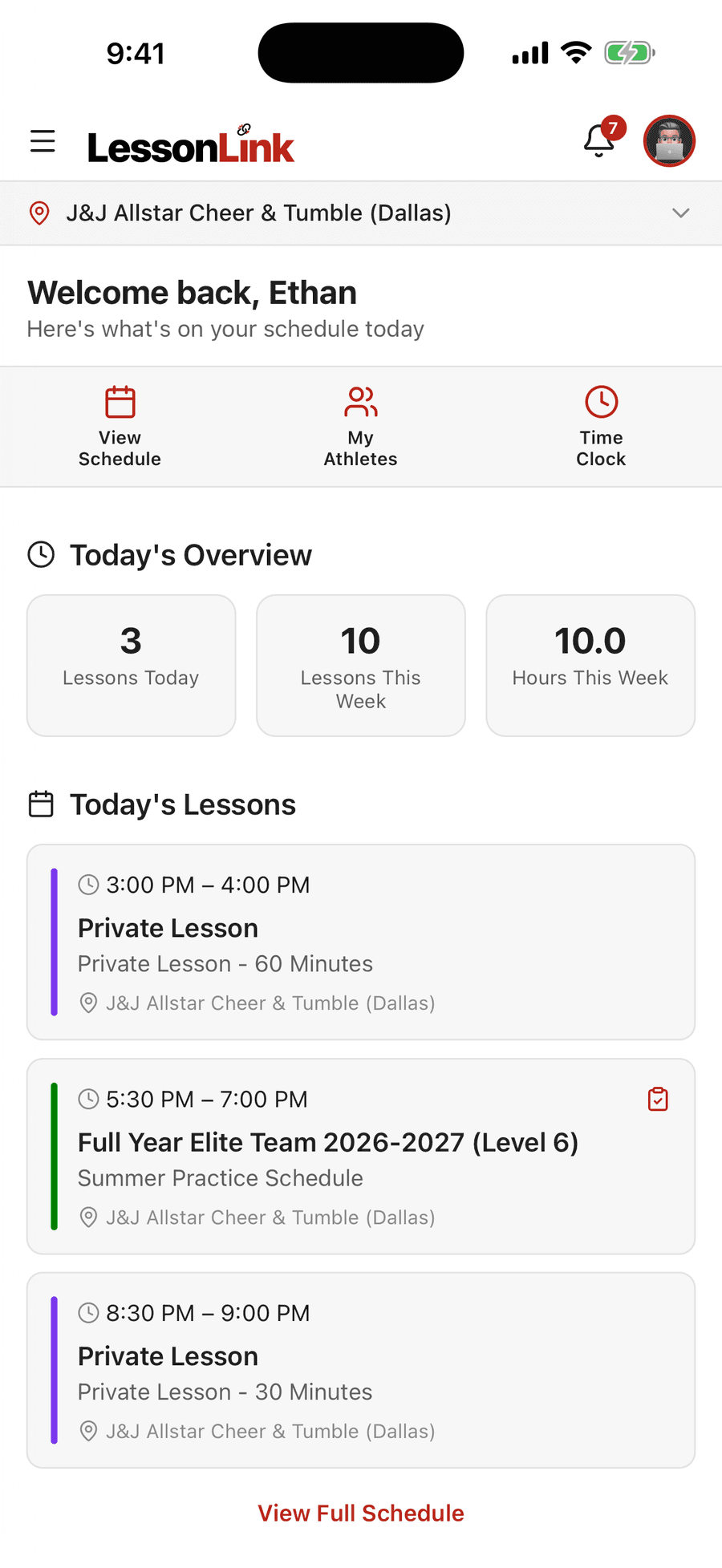
LessonLink Go is the mobile app for the LessonLink platform, available for iPhone and Android. It gives the parents, adult athletes, and coaches of a competitive cheer gym their schedules, program enrollment, private lesson booking, payments, messages, and gym announcements in one native app, using the same LessonLink account they use on the web. Gym admin tools stay in the web portal, designed for desktop where most gym operations happen.
For families
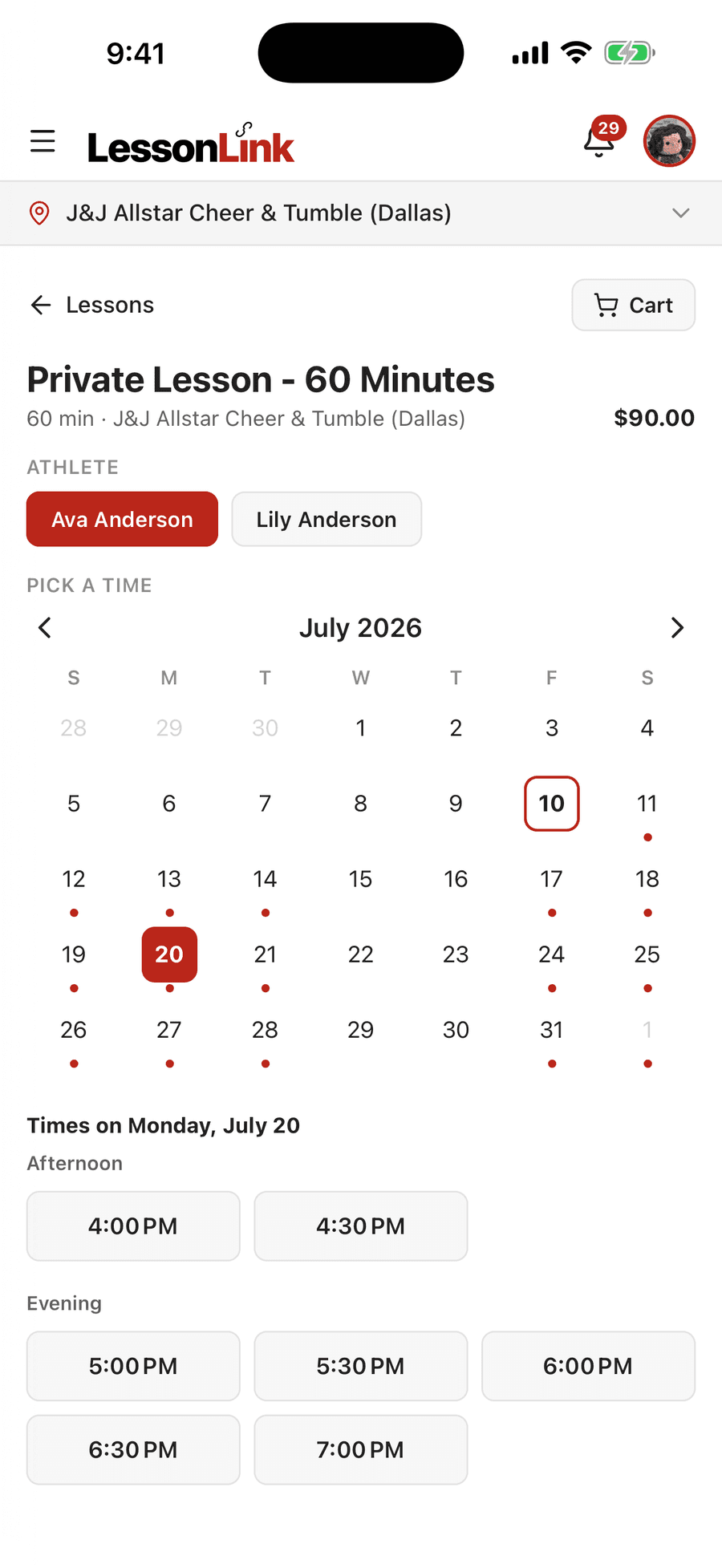
Pick the athlete, pick the day, grab an open time. Live availability from your gym’s coaches — no back-and-forth texts.
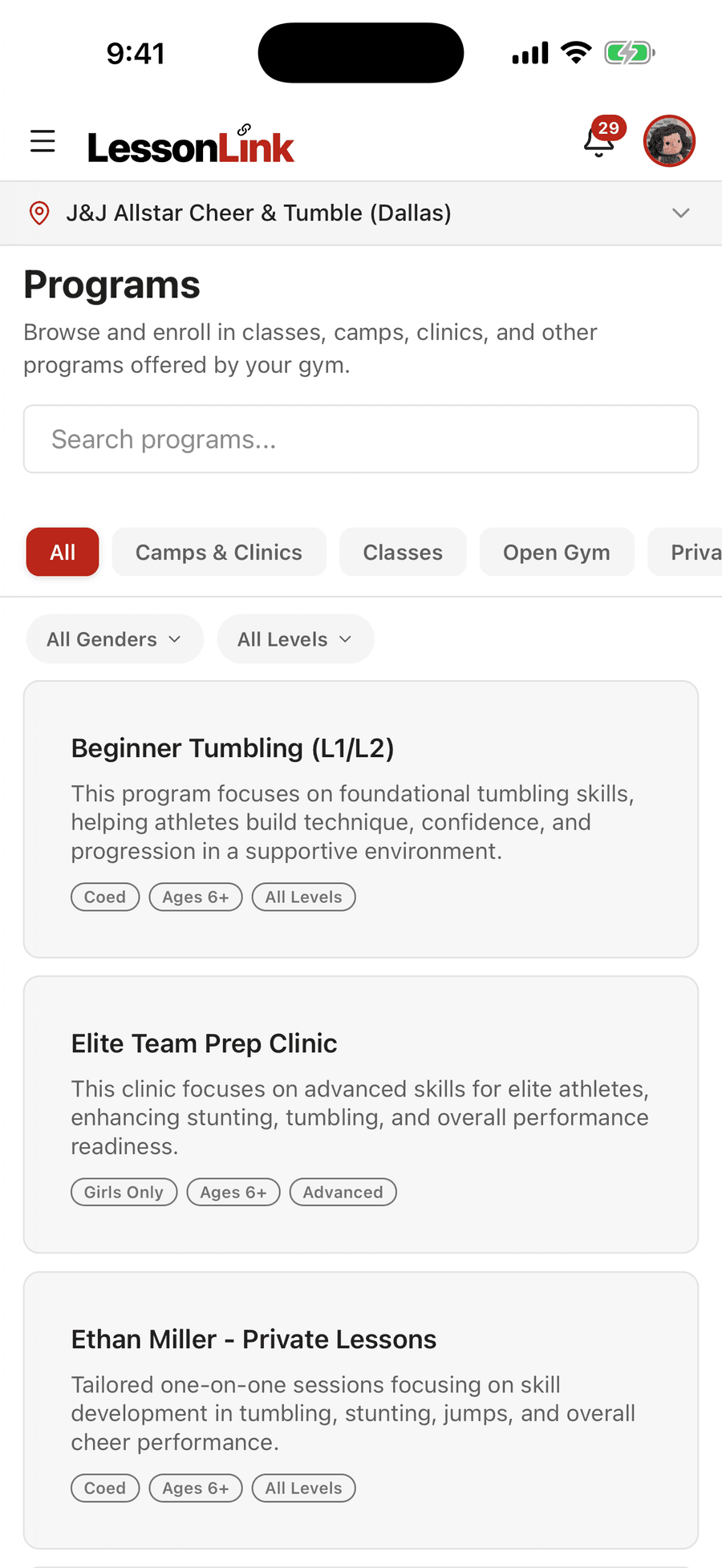
Classes, camps, clinics, and open gym. Search, filter by level, and enroll your athlete in a few taps.
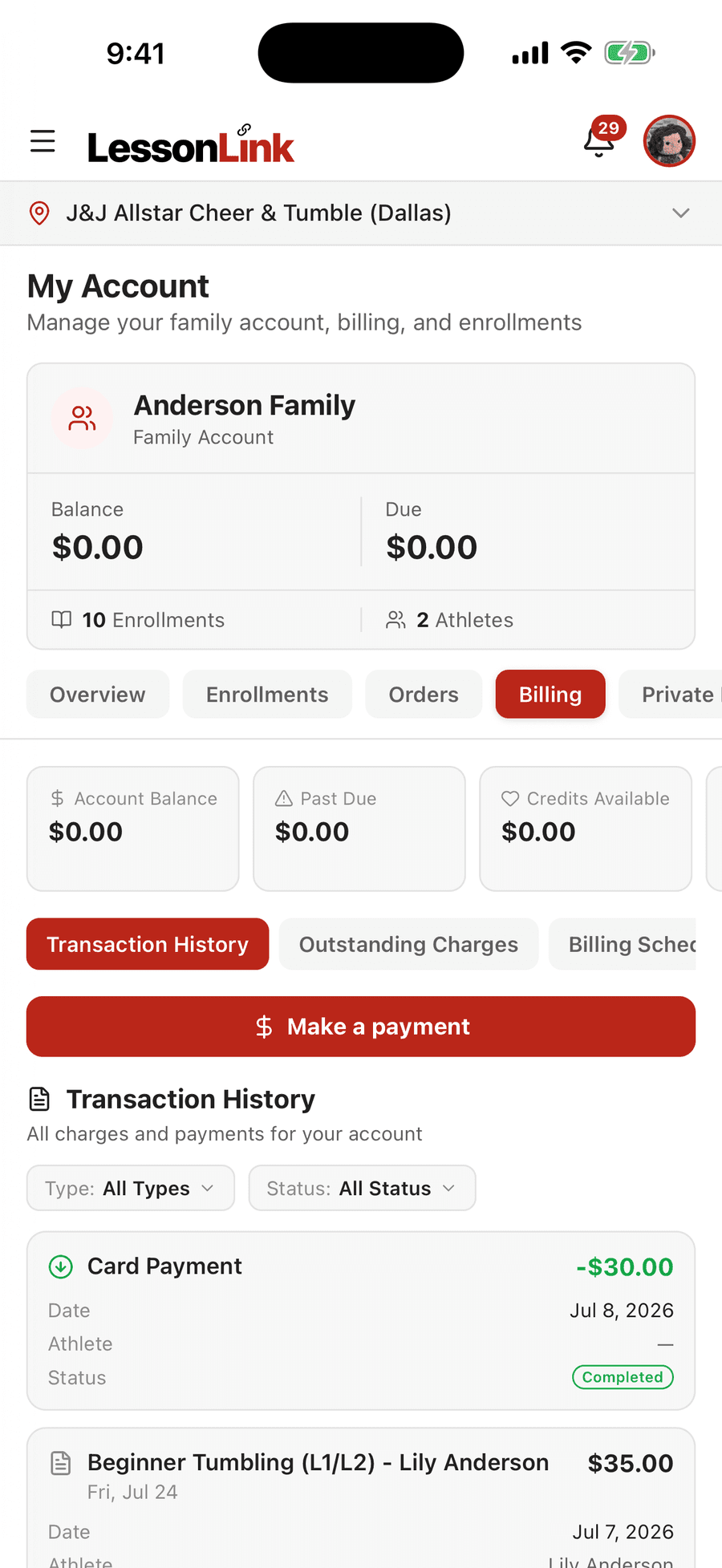
Balance, outstanding charges, the billing schedule ahead, and every past transaction. Pay by card in the app.
Private lesson booking appears when your gym offers private lessons through LessonLink.
For coaches
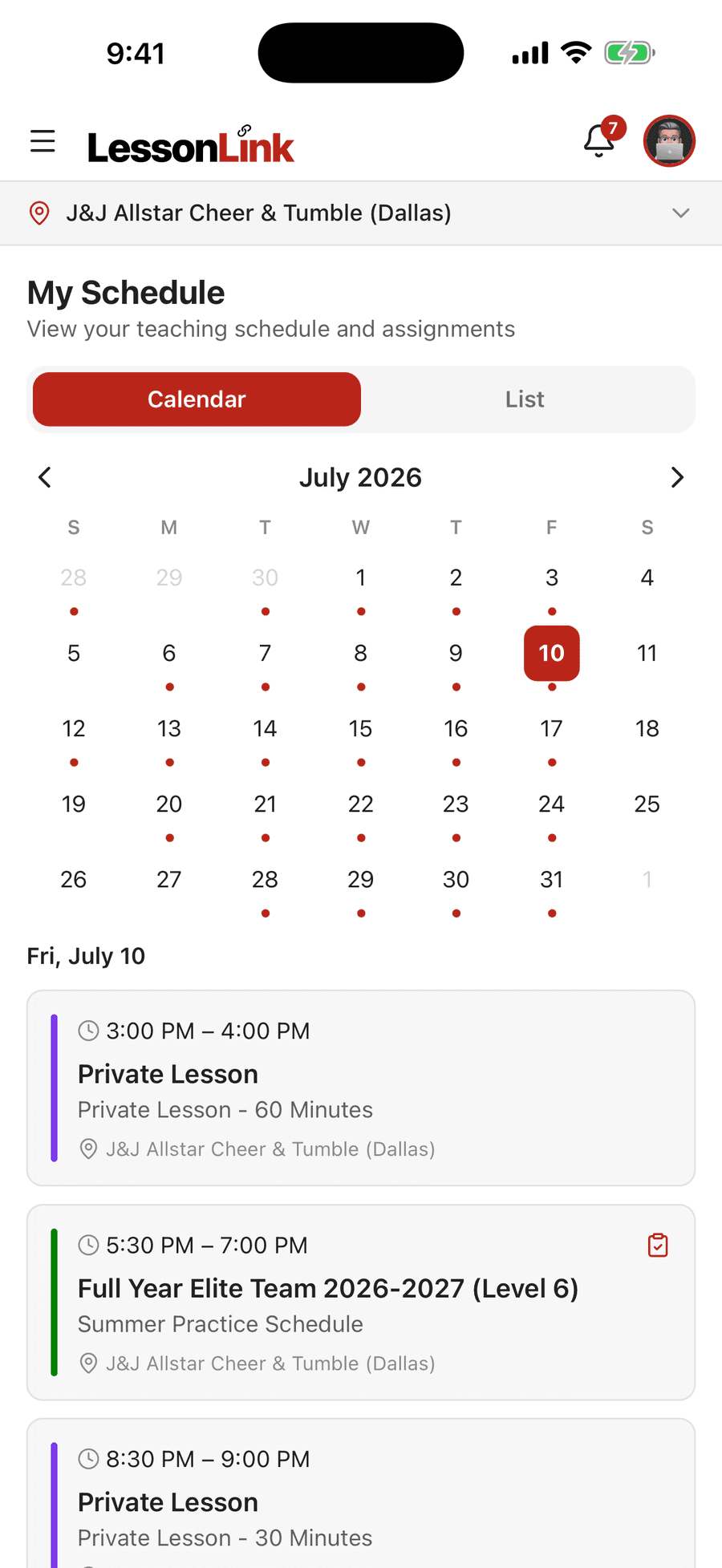
Classes, team practices, and private lessons on one calendar. Month view or list, your call.
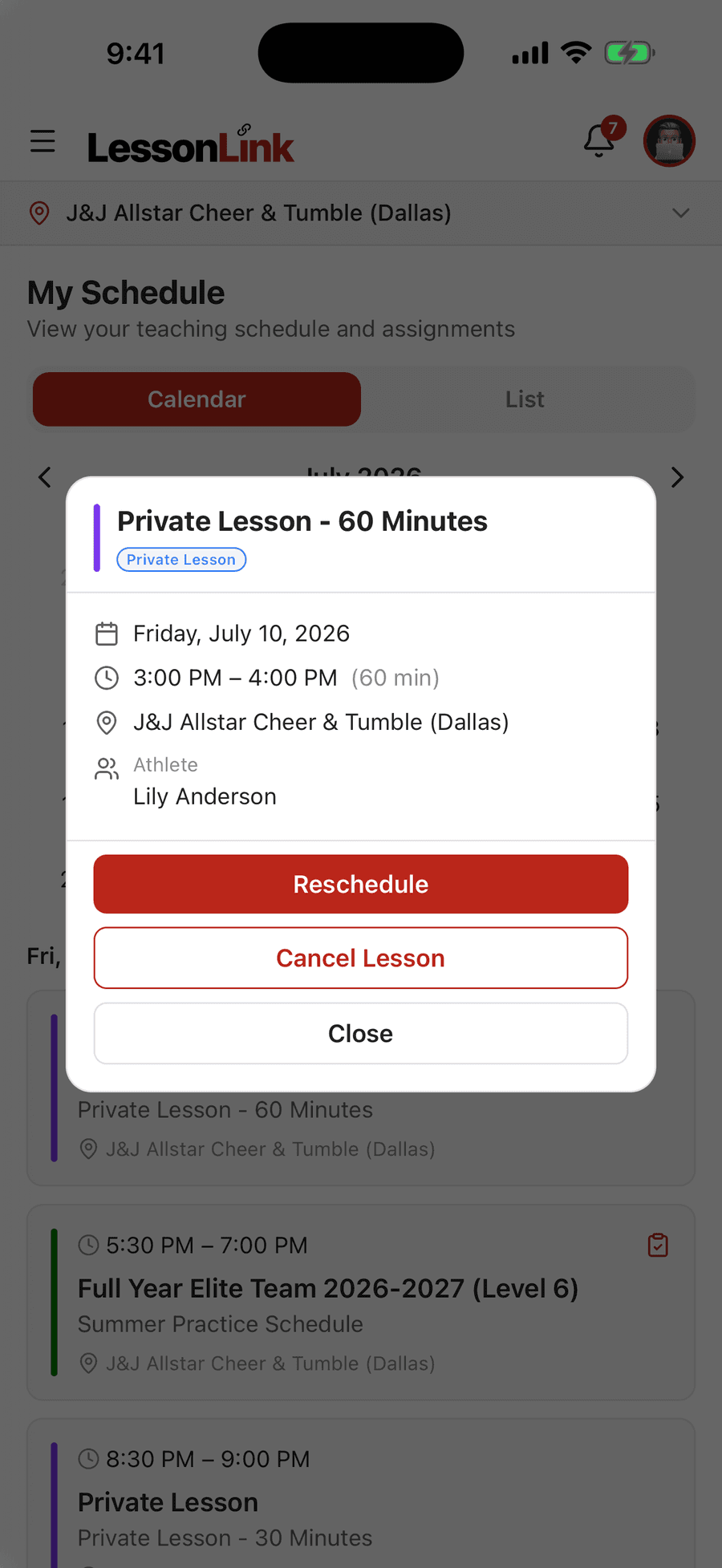
Open a private lesson to see who, when, and where. Reschedule or cancel it without leaving the gym floor.
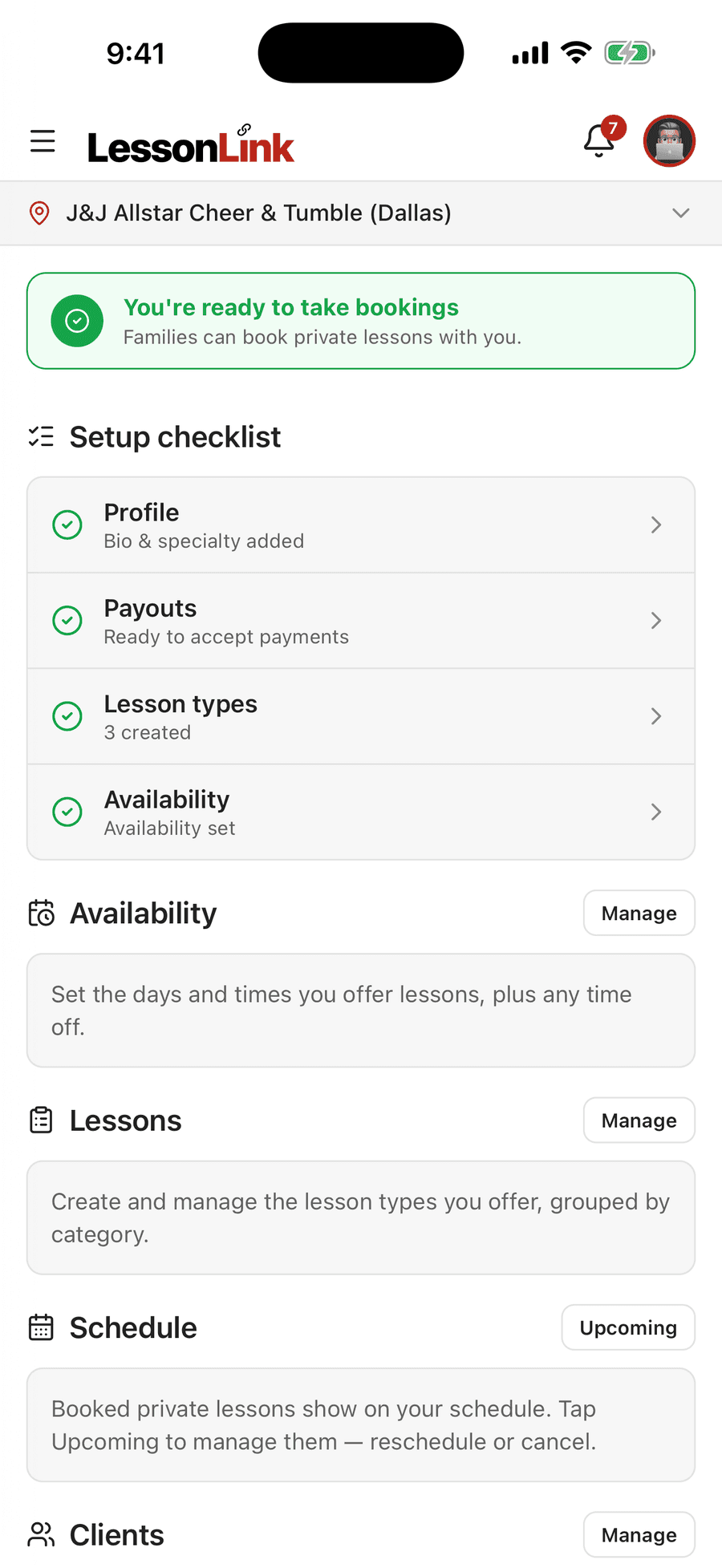
Set your lesson types, prices, and availability. Families book you directly, and card payments pay out to your own account.
Private lessons and the time clock appear when your gym has them turned on.
Built for the phone
Messages, schedule changes, billing alerts, and gym announcements come to your phone, even when the app is closed.
Your LessonLink account works on the web and in the app. The app opens to the family view or the coach view for you.
At a gym with more than one location? Switch between yours from the top of any screen.
Follows your phone’s appearance setting, or pick the one you like.
LessonLink Go is a free download on the App Store and Google Play.
Already use LessonLink on the web? Use the same email and password. New to LessonLink? Ask your gym for an invite.
Your first month is free. After that it’s $1.49/month or $14.99/year, and you can cancel anytime.
For your gym
$0 extra
LessonLink Go works with every LessonLink plan. There is no mobile add-on to buy.
For families and coaches
Free for a month
Free to download, with a 1-month free trial. After that it’s $1.49/month or $14.99/year, billed through the App Store or Google Play. Cancel anytime.
Would rather not subscribe? The LessonLink web portal works in any phone browser at no charge. The app adds a native experience and push notifications.
LessonLink Pro — our legacy iOS/Android app for private lesson management at lessonlink.pro — continues to run. LessonLink Go is a separate app built for the new platform. They coexist.
LessonLink Go works with every LessonLink plan, with no mobile add-on. See the platform behind the app in a 30-minute demo.
Request a Demo